

Download Channel 9 – free video streaming, developer tutorials, Windows Metro app
Overview
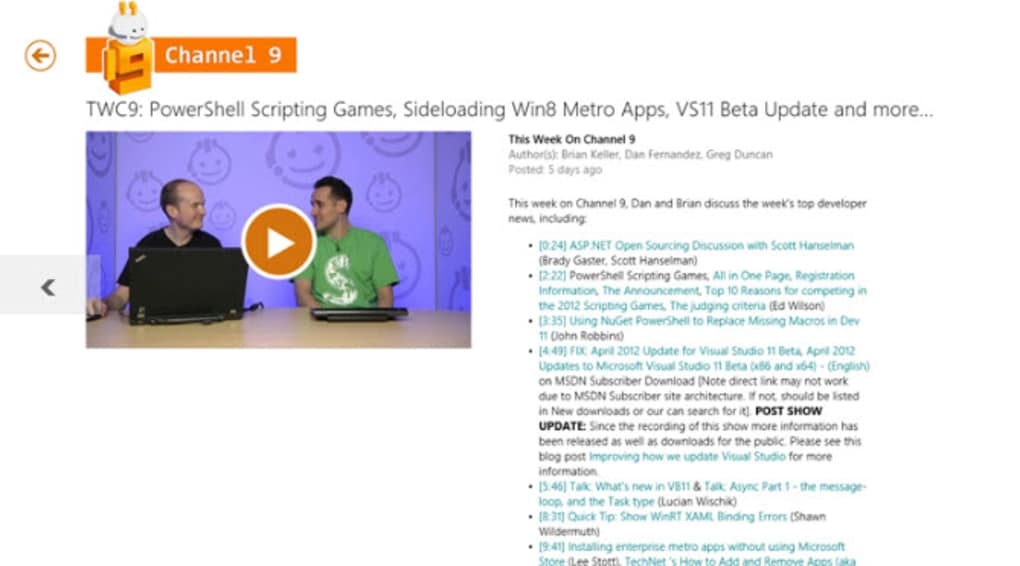
Channel 9 is a Microsoft‑backed video hub that brings developer‑focused content straight to your desktop. The Channel 9 Metro app lets you browse, stream, and explore a growing library of tutorials, conference talks, and community interviews without ever leaving the Windows 10/11 Metro environment. By pulling the latest releases from channel9.msdn.com, the app serves as a lightweight, free software tool for anyone who wants to stay up‑to‑date on Microsoft technologies, open‑source projects, and broader software‑development trends. Its clean, white‑dominant interface mirrors the look of modern Windows apps, while the integration with the Metro shell provides a seamless, full‑screen viewing experience that feels native to Windows. Whether you’re a seasoned developer looking for deep‑dive technical sessions or a hobbyist curious about new consumer tech, Channel 9 offers a curated video catalog that updates regularly, ensuring fresh content is always a click away.
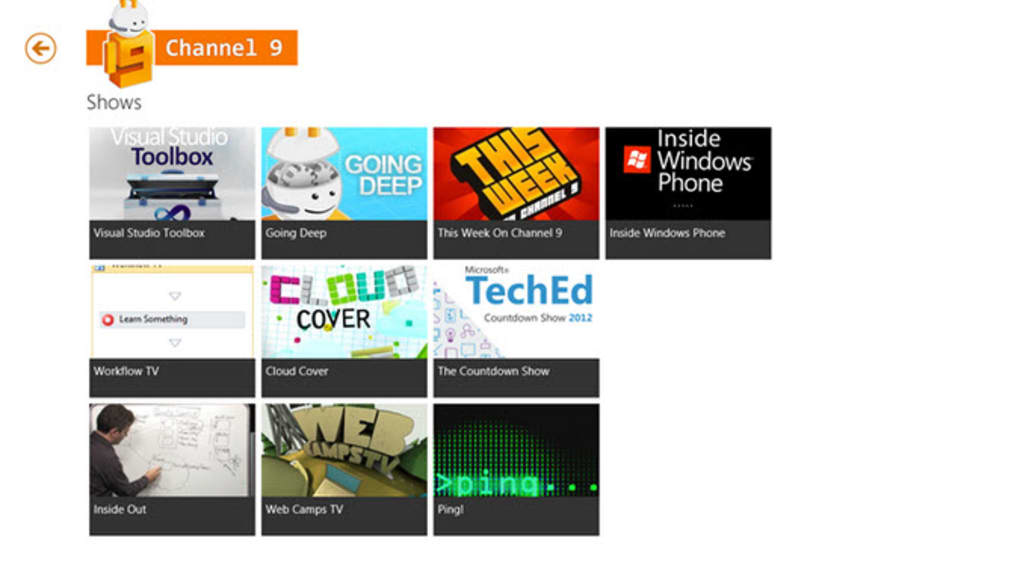
The app’s design prioritises readability and quick navigation. A left‑hand pane lists categories such as “Azure,” “Visual Studio,” “Windows Dev,” and “Community.” Selecting a category instantly populates the main area with thumbnail previews, each accompanied by a concise title and a short description. While some video descriptions can be text‑heavy, the layout remains uncluttered, allowing you to focus on the video itself.
Playback is handled by the built‑in Windows Media Player component, which supports adaptive streaming to accommodate varying network speeds. Although a few videos may load slower than others—particularly those hosted on external CDNs—the overall experience is smooth and reliable. In addition, the app provides a “Favorites” feature that lets you bookmark videos for later viewing, and a “Search” function that scans both titles and transcript text, making it easy to locate specific topics.
Channel 9 is completely free to download and use. There are no hidden fees, subscription models, or in‑app purchases, which makes it an attractive option for developers who want a secure, ad‑free environment for learning. Updates are delivered through the Microsoft Store, ensuring that you always have the latest bug fixes and feature enhancements without manual intervention. Security is handled by the Windows Store’s sandboxed installation process, so you can trust that the app won’t interfere with other software on your system. Overall, Channel 9 stands out as a valuable, community‑driven resource that blends the power of Microsoft’s developer ecosystem with the convenience of a native Windows Metro app.
Key Features & Compatibility
- Direct Integration with Channel9.msdn.com – Seamlessly stream videos from the official Microsoft developer portal without opening a browser.
- Category‑Based Navigation – Quickly browse topics like Azure, .NET, Visual Studio, Windows IoT, and community talks.
- Smart Search & Transcript Indexing – Find videos by keywords, speaker names, or even phrases spoken within the video.
- Favorites & Watch‑Later List – Bookmark content for offline viewing or future reference.
- Adaptive Streaming – Optimizes video quality based on your network bandwidth for smoother playback.
- Regular Content Updates – New tutorials, conference sessions, and community interviews are added weekly.
- Full‑Screen Metro Experience – Utilizes Windows 10/11’s native UI components for a consistent look and feel.
- Secure Store Installation – Delivered via Microsoft Store, ensuring a sandboxed, malware‑free environment.
- Lightweight Footprint – Minimal system resource usage, making it ideal for older hardware.
Operating System Compatibility (itemprop="operatingSystem"): Channel 9 is built for Windows 10 and Windows 11 devices that support the modern Metro (UWP) platform. The app runs on both 64‑bit and 32‑bit architectures and requires at least the Windows 10 May 2020 Update (version 2004) to guarantee full functionality. Because it leverages the Microsoft Store’s distribution model, the app automatically updates to stay compatible with the latest Windows releases. While there is currently no native macOS, Android, or iOS version, the web portal remains accessible on any platform, allowing cross‑device viewing when a desktop app is not available.
From a technical perspective, the app uses the Windows Media Foundation API for video decoding, which provides hardware‑accelerated playback on most modern GPUs. This ensures low CPU usage even during high‑resolution streams. Network requests are handled over HTTPS, keeping the connection secure and protecting user privacy. The app also respects Windows’ dark mode settings, automatically switching its UI palette to match the system theme—a small but appreciated detail for developers who spend long hours in front of the screen.
Overall, Channel 9’s feature set aligns well with the expectations of today’s software‑development community. Its integration with the Microsoft ecosystem, combined with a straightforward UI and robust compatibility, makes it a solid addition to any developer’s toolkit.
Installation, Usage & User Experience
Step‑by‑Step Installation Guide
- Open the Microsoft Store on your Windows 10/11 device.
- Search for “Channel 9” using the store’s search bar.
- Select the official “Channel 9 – Microsoft Developer Videos” app from the results.
- Click the Get button to begin the free download.
- After the download completes, click Launch or find the app pinned to your Start menu.
The installation process is fully automated; the Microsoft Store handles all necessary permissions and places the app in a sandboxed environment to ensure system security. Because the app is free, there are no hidden costs, and you’ll receive automatic updates whenever Microsoft releases a new version.
Getting Started with the App
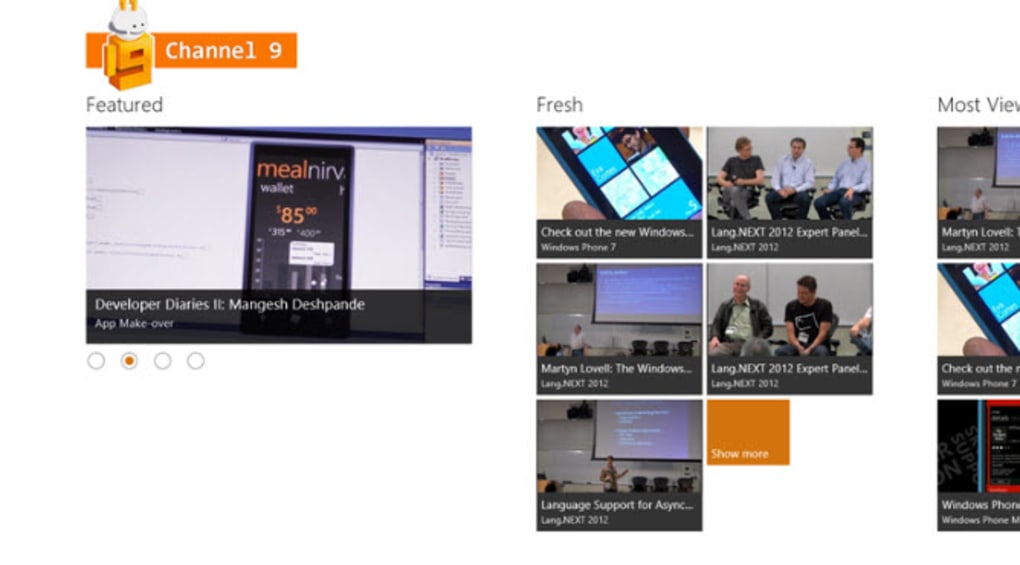
When you first launch Channel 9, you’ll be greeted by a clean home screen that showcases featured videos and the latest uploads. The left navigation pane lets you explore categories, while the top search bar offers instant query results. Clicking on a video thumbnail opens a playback window that occupies the full Metro interface, complete with playback controls, volume adjustment, and a caption toggle.
One of the standout usability features is the “Watch‑Later” button located beneath each video description. By clicking this, the video is added to a personal playlist that you can access from the “Favorites” section. This is particularly handy for developers who want to curate a learning path—e.g., a series on Azure Functions followed by a deep dive into Kubernetes on Azure.
Pros and Cons
- Pros:
- Completely free with no ads or subscription fees.
- Native Windows Metro UI provides a seamless, distraction‑free viewing experience.
- Regular content updates keep the video library fresh and relevant.
- Secure installation via Microsoft Store reduces risk of malware.
- Adaptive streaming optimizes playback for both high‑speed and limited‑bandwidth connections.
- Searchable transcripts make finding specific topics fast and accurate.
- Cons:
- Occasional slower loading times for videos hosted on external CDNs.
- Video descriptions can be text‑heavy, which may clutter the UI for some users.
- No offline download option; requires an internet connection for streaming.
- Limited to Windows; no dedicated macOS, Android, or iOS app.
- Customization options (e.g., playback speed) are basic compared to some third‑party video players.
Despite the minor drawbacks, the overall user experience remains strong. The app’s lightweight design ensures it runs smoothly on older machines, and its integration with the Microsoft ecosystem guarantees that security patches and feature enhancements are delivered promptly.
Channel 9 provides a valuable, free, and secure way for developers to access Microsoft‑focused video content directly from the Windows desktop. Its clean UI, regular updates, and robust search capabilities outweigh the occasional loading delays and lack of offline support.
Frequently Asked Questions (FAQ)
Is Channel 9 completely free to use?
Yes, the Channel 9 Metro app is 100 % free. There are no hidden fees, subscription plans, or in‑app purchases. All video content is provided by Microsoft and its community partners at no cost.
Can I download videos for offline viewing?
Currently, the app only supports streaming. There is no built‑in offline download feature, but you can add videos to your “Favorites” list to quickly access them later when you have an internet connection.
Which Windows versions are supported?
Channel 9 runs on Windows 10 (version 2004 or later) and Windows 11. Both 64‑bit and 32‑bit architectures are supported, as long as the device can run UWP/Metro apps from the Microsoft Store.
How often is new content added?
The Channel 9 team updates the video library weekly, with additional uploads following major Microsoft events such as Build, Ignite, and .NET Conf. The “Featured” section on the home screen highlights the newest releases.
Is the app secure and privacy‑friendly?
Yes. Because the app is distributed through the Microsoft Store, it runs in a sandboxed environment that isolates it from other system components. All video streams use HTTPS, ensuring encrypted data transmission.
Conclusion & Call to Action
Channel 9 delivers a focused, free, and secure video platform that aligns perfectly with the needs of developers who live within the Microsoft ecosystem. Its Metro‑style design provides a native Windows experience, while the regular influx of high‑quality tutorials, conference talks, and community spotlights keeps your skill set current. Though the app lacks offline download capability and is limited to Windows, the benefits—such as zero cost, adaptive streaming, and a powerful search that indexes transcripts—far outweigh these minor shortcomings. If you’re looking for a reliable way to stay informed about Azure, .NET, Visual Studio, and other Microsoft technologies without juggling multiple browser tabs, Channel 9 is the tool for you.
Ready to boost your development knowledge? Download Channel 9 today from the Microsoft Store and start exploring the latest developer videos instantly. Keep an eye on the “Featured” section for fresh content, bookmark your favorite sessions, and make the most of the searchable transcript feature to find exactly what you need—fast. Happy learning!







